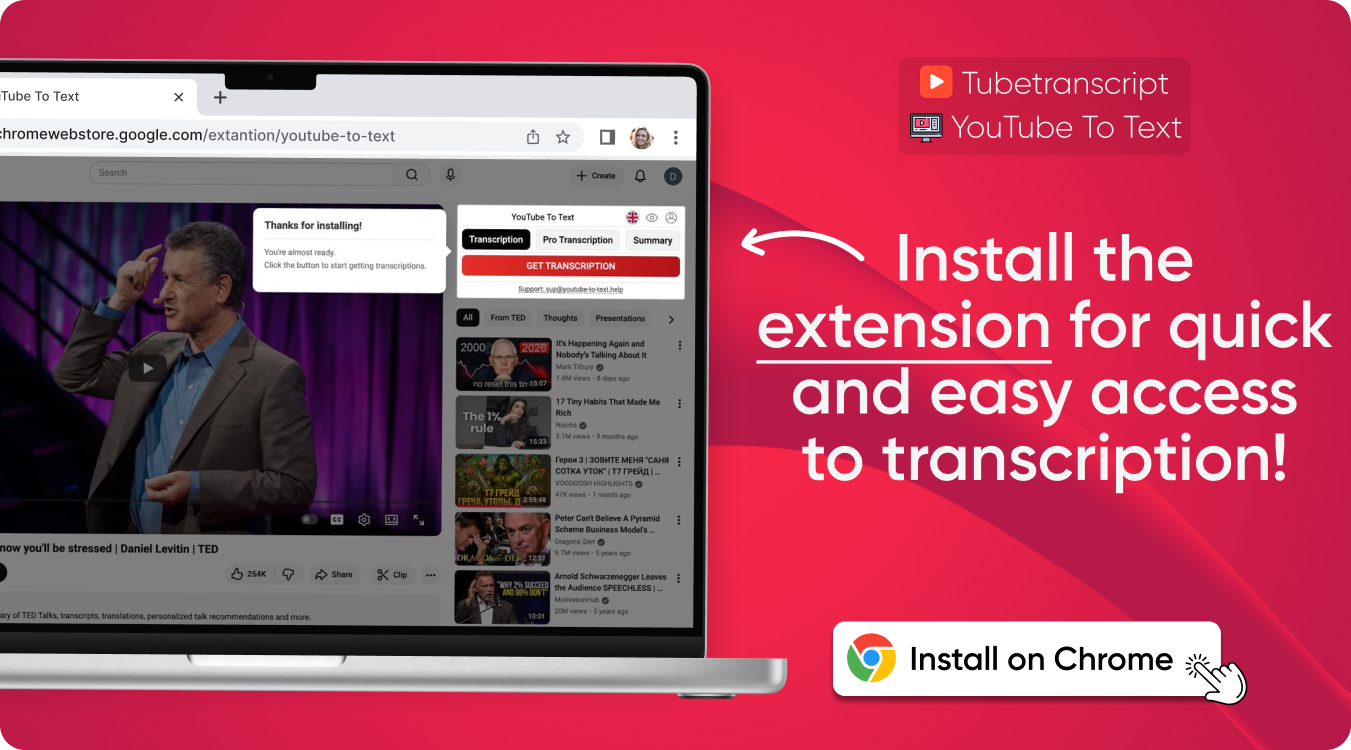
YouTube to Text
Transcribe YouTube video to text quickly and easily with our free online tool. Get an accurate transcript from a YouTube video in just a few clicks, copy the text, or download it for later use.
YouTube Transcription Online & Free
Get transcript of YouTube video and easily read, search, and review the content without watching the entire video.
YouTube Transcript in Different Formats
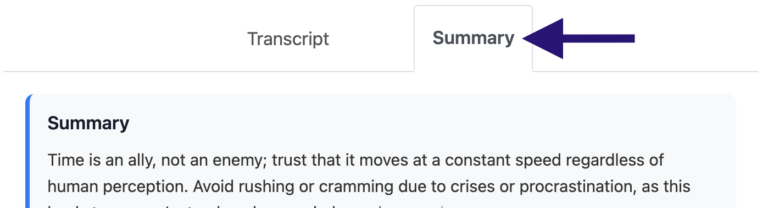
Download your transcript in SRT, VTT, or TXT format. Copy, edit, translate, or save it for later.
Accurate YouTube Transcripts
Get a clear and accurate YouTube video to transcript with or without timestamps. Easily follow the video, find specific moments, and copy the information you need.
Transcribe YouTube Videos in 70+ Languages
Get transcripts in more than 70 languages and easily access content from creators around the world.
avg_pace
Quickstart
How it works
The process is simple
Copy a YouTube Video Link
Copy the URL of the video you want to transcribe.
Paste the Link
Paste the URL into the YouTube to Text tool to continue.

Generate the Transcript
Click Generate Transcript and get the text from your video in just a few moments.

Use the Transcript
Read, search, copy, or download the text in SRT, VTT, or TXT format for your needs.
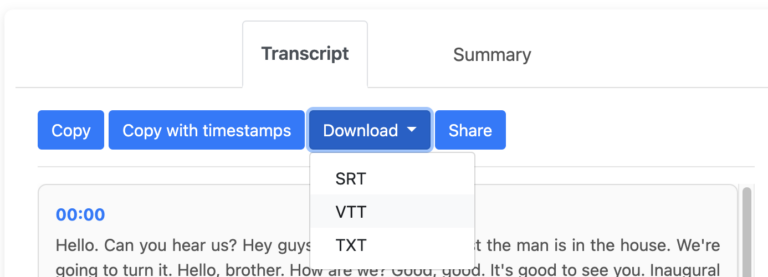
Get YouTube Summary
Want a quick overview? Use the summarize YouTube video feature to get the main points without watching the entire video.
AI YouTube Video to Text Converter
With or Without Timestamps
Choose whether you want a clean transcript or text with timestamps to follow the video more easily.
Simple and User-Friendly Interface
A clear and user-friendly interface makes it easy to get your YouTube transcript without unnecessary steps.
Easy to Copy
Copy the text you need from a YouTube video and use it in notes, documents, or your own projects.
Supports Long Videos
Use YouTube to text to convert long videos without splitting them into smaller parts.
Secure and Private
Your data is handled securely and kept private while you work with your transcripts.
No Software to Install
Works directly in your browser – just paste the YouTube link and get started.
When Can YouTube to Text Help?
You need the text from a video
You want to read the content instead of watching the entire video. Get transcript of YouTube video and quickly find the information you need.
You work with lots of YouTube videos
You need transcripts for YouTube videos for research, study, content creation, or to keep useful information in text form.
You want to understand videos in other languages
With YouTube transcription, you can turn video content into text and make it easier to read, translate, and understand.
Who This Is For
School
Students
Use YouTube to text to study lectures, tutorials, and educational videos. Find the information you need without watching the same video again.
article
Content Creators
Research topics, gather ideas, find useful quotes, and work with information from interviews, podcasts, and videos. Quickly search the text, copy what you need, and use it for scripts, articles, posts, or other content.
Work
Professionals
Need information from a webinar, interview, or presentation? Generate transcript from YouTube video and quickly search through the content.
person
Anyone Who Prefers Reading
Sometimes reading is simply easier than watching. Get the text and go straight to the part you need.
YouTube Video Transcript Generator: What Can You Do With It?
A YouTube transcript gives you more flexibility when working with video content. Once you have the text, you can easily search, copy, edit, download, and use it in different ways.
Search the Content
Quickly search through the transcript to find a specific word, phrase, topic, or quote without going back through the video.
Copy the Text You Need
Select and copy specific parts of the transcript to use in your notes, documents, presentations, or other projects.
Edit and Organize the Text
Clean up the transcript, add your own notes, highlight important information, or organize the content in a way that works for you.
Download for Later
Save the transcript and access it whenever you need it. Download your text in TXT, SRT, or VTT format depending on how you plan to use it.
Keep Track of Timestamps
Use timestamps to connect the text with specific moments in the video. This makes it easy to return to the original content when needed.
Use the Text in Other Tools
Copy the transcript into your notes, documents, translation tools, or other apps to continue working with the content.
"Works perfectly"
"Very fast"
"So easy to use"
Customer Reviews – AI YouTube to Text Converter
⭐️⭐️⭐️⭐️⭐️ 4.9 200,000+ users

Emma Wilson
Really easy to use

James Taylor
Works great for studying. I use it to review lectures and tutorials

Omar Hassan
Really useful when I need to find something quickly in a video

Arjun Mehta
I use it almost every week for youtube videos. Very convenient

Olivia Bennett
Saved me so much time

Giulia Conti
Quick and easy. I like that I can download the text too

Daniel C.
Very useful when I need to quickly get the text from a long YouTube video

Kenji Sato
I needed the text from a interview and this made things much easier

Svetlana Petrova
I got the text I needed very quickly
FAQ – YouTube to Text
- How to get a transcript of YouTube video?
Copy the URL of the video and paste it into our tool. Click “Generate Transcript” to get the text. You can then read, search, copy, or download the transcript.
- What formats can I download a transcript in?
You can download the text in SRT, VTT, or TXT format, depending on how you plan to use it.
- Is YouTube to transcript free to use?
Yes, you can use it for free to get text from YouTube videos and access the transcript whenever you need it.
- Can I transcribe long YouTube videos?
Yes. Long videos can be converted into text without having to split them into smaller parts first. Longer videos may take a little more time to process.
- Can I get a transcript without timestamps?
Yes. You can choose a transcript with or without timestamps, depending on whether you want just the text or want to follow specific moments in the video.
- How to copy the transcript in YouTube?
Paste the video link into the tool to get the full text, then click the Copy button to instantly save it to your clipboard. You can then paste it into your notes, documents, or anywhere else you need it.
- Does it work with videos that have subtitles?
Yes. It works with videos that already have subtitles. If a video doesn’t have subtitles, our AI can generate YouTube transcript from the audio.
- Can I convert YouTube to TXT?
Yes. You can convert YouTube video transcript to TXT format and download the file for later use.